Can I send a designed newsletter from Gmail without a mailing service?
Yes. I send designed HTML from Gmail myself, without Mailchimp. The design has to land in compose as markup, not as a screenshot, PDF, or pasted web page.
Key takeaways
- ✓ We ship newsletters from Gmail without an ESP when the list is small and the body is real HTML in compose.
-
✓
In our tests, fragments win: tables + inline styles, no
<html>shell, no<title>. - ✓ I insert markup into a new message. I do not paste a browser render or attach a PDF.
- ✓ Personal Gmail tops out around 500 recipients/day. Past that, we use a real mailing service.
Yes: you can send a designed newsletter from Gmail without a mailing service. I do it for our own product mail when the list is small. The catch we hit early: the design has to go into compose as HTML, not as a screenshot, a PDF, or a pasted web page. What decides whether it survives is less the pretty layout than what we strip before send. Every newsletter that arrives intact for us is a fragment: tables with inline styles, no page shell. The failures we see most often started life as a full web page.

What we put in Gmail compose: HTML markup, not a screenshot or PDF.
What separates a designed message from pasted content?
Before I hit Send, I open the source and check three things. Each one is visible in the file, so I am not guessing.
- Layout lives in tables, styling lives on each element. We learned the hard way that Gmail strips external stylesheets. If our colors hang on a class name or a linked CSS file, they die in transit. Table layouts with inline styles are what we still ship.
- The file starts with content, not a document. Our first line is a table, not a doctype or
<html>. I personally refuse to leave a<title>in the fragment: Gmail can print it as visible text. That is why our tools spit out fragments with no wrapper and no title tag. - Links are real hrefs. We once shipped a "button" that was only an image. Looks fine, clicks nowhere. Every CTA we send now is a real link we can tag and count.
Signatures follow the same fragment rules. We documented how we install them in Gmail Settings in our signature HTML walkthrough.
How do I build a newsletter so Gmail keeps it intact?
From our side, Gmail keeps markup that already looks like email. Browser-only layouts get reinterpreted. So we build something Gmail has no reason to rewrite.
- I lay out the issue as nested tables and put every font, color, and padding value inline on the cell it styles.
- I delete the document shell: doctype,
<html>,<head>, and<title>. Only body content stays. - I tag links in the source before insert. We built a UTM Builder for that pass (bulk URLs or hrefs inside HTML). It sits with our other free HTML tools.
- I insert the finished markup into a new Gmail message. I do not paste a rendered browser copy. That insert step is why we built the html2email Chrome extension for Gmail and Yahoo.
- I send the first copy to my own Gmail and Outlook, open both on a phone, then Bcc the real list so people do not see each other.
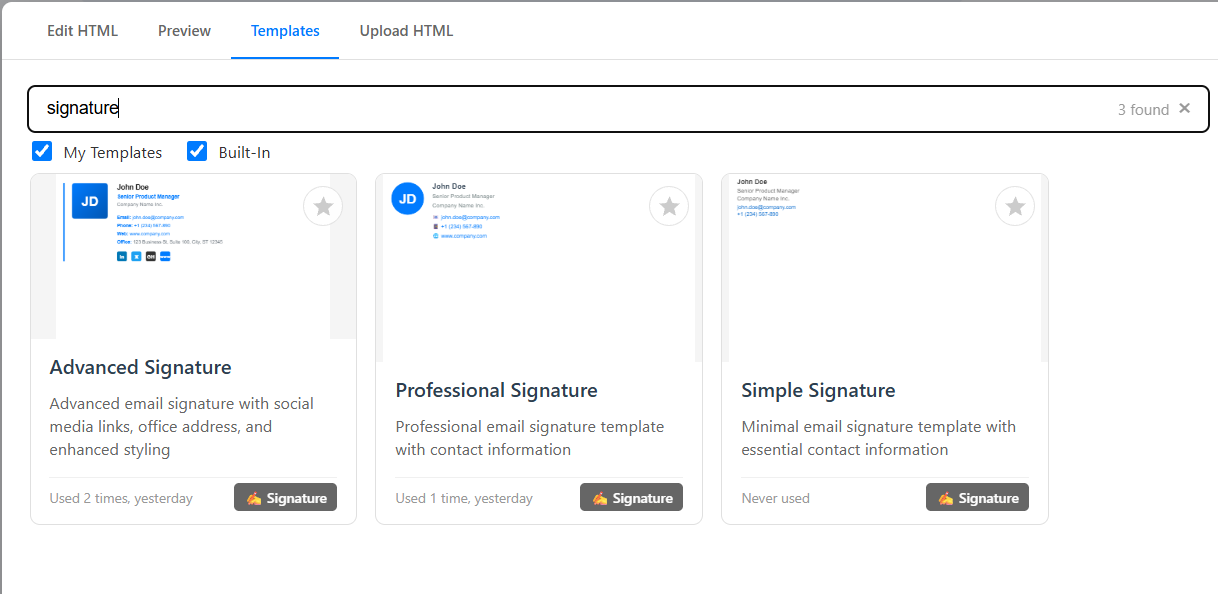
The dialog we use to insert finished markup. Paste-from-browser is what we stopped doing.
When is Gmail enough, and when do we switch to a mailing service?
Personally, I treat Gmail as a personal mailbox that happens to accept HTML, not as a campaign platform. Google documents the caps. On a personal Gmail account you hit trouble around 500 recipients in one message or 500 emails in a day (Gmail Help: sending limits). On paid Google Workspace the daily message ceiling is 2,000 messages per user, with lower numbers for mail merge and trial accounts (Workspace Gmail sending limits). Hit the wall and sending pauses for up to 24 hours.
| Account | Daily cap we plan around | Source |
|---|---|---|
| Personal Gmail | ~500 recipients / ~500 emails | support.google.com |
| Google Workspace (paid) | 2,000 messages / user (1,500 mail merge) | Workspace Help |
Gmail also gives readers no automatic unsubscribe. For a warm list of people who expect our mail, we stay in Gmail. For a large list or cold outreach, we move to a dedicated sender. I would not try to "grow into" ESP volume from a personal inbox.
Order matters for us because every fix gets harder once the letter sits in compose. Tagging links after paste means editing one by one. Tagging in the source is one pass.
Should I use Gmail templates, paste, or inserted HTML?
We compared all three while building html2email. Built-in Gmail templates are fine for the same plain reply on repeat. They ship off by default: Settings > See all settings > Advanced > Enable next to Templates > Save Changes (Google's template guide). We use them for text, never for a branded layout.
I tried the paste-from-browser path and the image/PDF attach path. They look right on my screen and give me almost nothing after send. Readers cannot click a picture of a button. A typo means rebuilding the asset. Personally, I will not send a newsletter that way.
Inserted HTML is what we settled on for headers, columns, and styled buttons. Trade-off: you need a clean fragment and a way to put it into compose. Our web tools only generate HTML; one-click insert is the Chrome extension. Step-by-step for that insert: how we save HTML into Gmail.
| Method | What we use it for | What survived in our tests |
|---|---|---|
| Gmail Templates | Repeated plain replies | Text wording |
| Paste / image / PDF | Quick visual check only | Almost nothing editable or trackable |
| Inserted HTML | Header, columns, styled buttons | Layout, links, brand styling |
Where does html2email fit in our Gmail newsletter workflow?
We built html2email for the exact gap above: you already have markup, and you need a sendable message in Gmail or Yahoo without dumping raw code into the body. That is where most of the breakage we saw happened, so we put the fix in a one-click insert.
Our browser tools stay free and need no sign-up. Every tool we ship outputs table-based HTML with inline CSS as a paste-ready fragment: no <html>, no <title>, MSO quirks handled so we do not hand-code Outlook fixes every time. Scoped to fragments we trust in Gmail, Yahoo, and Outlook.
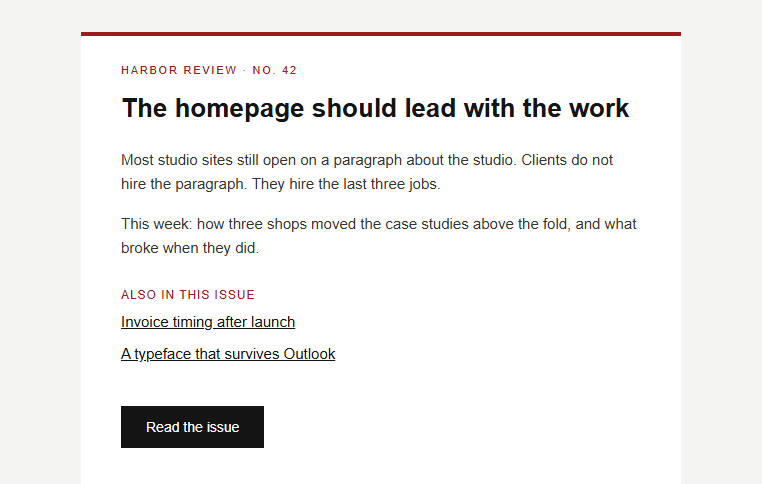
One of our newsletter templates after insert: the design lives in the body as real HTML.
For us the newsletter is rarely the only designed piece. We use the same fragment rules in our HTML signature maker and Out of Office generator. The extension adds editor, preview, layout check, link checker, and 20+ templates for newsletters, signatures, and promos. Free plan: 5 inserts into Gmail and up to 5 saved letters.
Desktop/mobile Preview and the HTML Email Checker are still on our roadmap, not live yet. Until they ship, I keep relying on test sends to my own inboxes. Same habit I recommend to anyone using our tools.
If your next issue is ready as HTML and the list is small, that is the workflow we use: install the extension, open a new Gmail message, insert the fragment, test, then send. Designed newsletter from Gmail, no mailing service required.
Frequently asked questions
Related resources
Send designed HTML from Gmail
Insert validation-checked HTML into compose in one click.
 Gmail/Yahoo - Free
Free plan available · See pricing