What is an HTML email template?
A table-based HTML document with inline CSS and a 600px container, built for inbox clients, not browsers.
Key takeaways
- ✓ An html email template is a table-based document with inline CSS, not a webpage.
- ✓ Center content in a 600px container table inside a 100% outer wrapper.
- ✓ Gmail and Outlook strip external stylesheets, flexbox, and grid.
- ✓ Keep HTML under ~102 KB to avoid Gmail clipping (Google limits).
If you ask what is html email, the short answer is: a self-contained HTML file where layout
lives in nested <table> tags, every visual rule is inline, and the main content column is
about 600px wide. An html email template is that same structure saved as a
reusable starting point for newsletters, signatures, or vacation replies.
Why is an HTML email template not a webpage?
Browsers and email clients parse HTML with different rules. Gmail removes <style> blocks in
many contexts, Outlook uses Word's rendering engine, and Yahoo strips scripts. A template built like a landing
page will break in at least one major client.
- Layout: Tables with
border="0" cellpadding="0" cellspacing="0", not flex or grid. See why div layouts fail. - CSS: Inline
style=""on each element. External sheets are blocked. Read inline style patterns. - Width: A fixed inner table around 600px inside a fluid outer wrapper. Details in container width.
- Head: No
<title>tag. Gmail vacation responder prints it as visible text above the body.
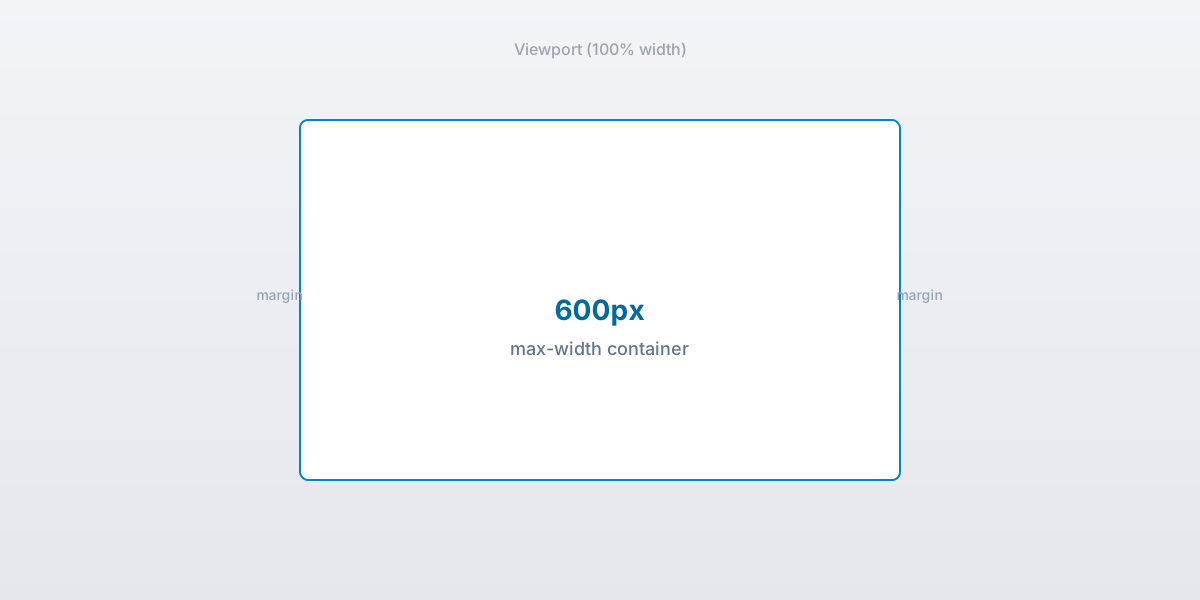
A 600px inner table centered inside a 100% outer wrapper.
How do I design an HTML email?
Start with structure before color. Sketch sections as rows in a single-column table, then add a header image,
body copy, CTA button, and footer. Buttons are table cells with a styled <a>, not CSS-only
divs.
- Pick a 600px content width and stick to it for images and text blocks.
- Use web-safe fonts: Arial, Helvetica, Georgia, Verdana.
- Set explicit
widthandheighton images to prevent layout jump. - Test in Gmail web, Outlook desktop, and a phone before you send.
For responsive two-column sections, use the hybrid table pattern in our responsive email with tables guide.
What does an HTML email example look like?
Real templates combine a hero image, short headline, body paragraphs, and a single CTA. Below are two built-in examples from the html2email extension gallery: a modern newsletter and a vacation auto-reply.
- Header row with logo or hero image
- Headline and intro copy in a padded cell
- CTA button built from a table cell and styled link
- Footer with unsubscribe or contact details
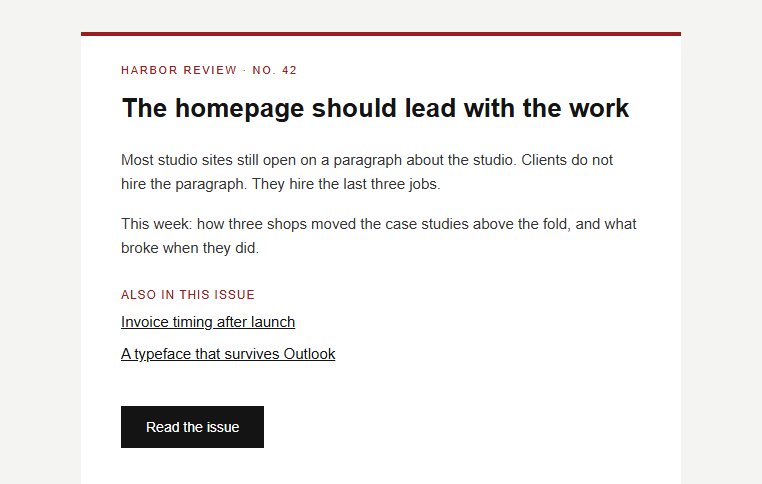
Newsletter-style HTML email template with hero image and CTA.
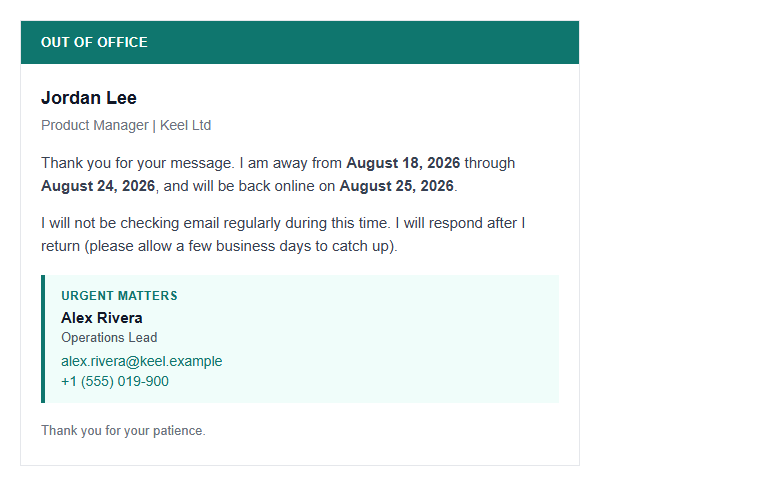
Vacation responder template with dates and alternate contact.
Both follow the same skeleton: outer 100% table, inner 600px container, rows for each content block. Variable
placeholders like {{name}} are covered in template variables.
What are HTML email best practices?
These rules keep templates stable across Gmail, Outlook, Apple Mail, and Yahoo.
- Inline all CSS. Do not rely on class selectors alone.
- Use
role="presentation"on layout tables for screen readers. - Include alt text on every image.
- Add a plain-text fallback when your ESP supports it.
- Validate
border,cellpadding, andcellspacingon every table. See table attributes. - Pick the right HTML email DOCTYPE for Outlook compatibility.
- Keep total HTML size under ~102 KB. Gmail clips larger messages per Google's size limits (attachments allow up to 25 MB, but the body has a separate ceiling).
Where can I find free HTML email templates?
You do not need a paid zip download to get started. The html2email Chrome extension ships with built-in templates for newsletters, signatures, and vacation responders. Open the Templates tab, pick a design, edit in the preview pane, and insert into Gmail compose.
- Extension gallery: Built-in templates with live preview and validation.
- Tools page: Generators for signatures, preheaders, and layout checks.
- Your own HTML: Paste any table-based file and let the validator flag client risks before send.
How does webpage CSS differ from email-safe CSS?
Treat this table as a quick reference when porting a web design into an html email template.
| Technique | Webpage | Email-safe |
|---|---|---|
| Flexbox / CSS Grid | Yes | No |
| Tables for layout | Rare | Yes |
| External stylesheet | Yes | No |
| Inline CSS on elements | Optional | Yes (required) |
<title> element |
Yes | No (Gmail surfaces it) |
| JavaScript | Yes | No (stripped) |
Webpage CSS vs email-safe patterns.
How do I send an HTML email template in Gmail?
Gmail compose is a contenteditable area, not a full HTML editor. You paste table-based HTML and the client rewrites parts of it. The safest path is to use a tool that validates markup before insertion.
- Copy validated HTML from html2email Preview.
- Insert into Gmail compose with the extension.
- Send a test to yourself and check images, links, and width on mobile.
Step-by-step instructions live in how to send HTML email in Gmail.
What else should I read about HTML email templates?
These cluster guides go deeper on individual topics referenced above.
- Responsive HTML email with tables
- HTML email container width
- Inline styles in HTML email
- HTML email document size and Gmail clipping
- Outlook phantom tables
- Template variables and placeholders
Summary
To recap what is html email: it is table-based HTML with inline CSS, centered at 600px, sized for inbox clients. An html email template packages that structure so you can reuse it without rebuilding rows and styles from scratch. Use the html2email extension to pick a built-in design, validate markup, and paste into Gmail with fewer surprises.
Frequently asked questions
Related resources
Optimize your emails today
Send validation-checked HTML emails directly from your browser.
 Gmail/Yahoo - Free
Free plan available · See pricing