How do I save HTML code to email in Gmail?
Gmail compose has no HTML source mode. This guide shows how to send HTML in Gmail by inserting rendered markup, not attachments or raw tags.
Key takeaways
- ✓ Gmail compose has no HTML mode. You insert rendered HTML into the body.
- ✓ Attaching a .html file sends a download, not a visible design.
- ✓ html2email inserts validated HTML from Gmail compose in a few clicks.
-
✓
Use table layouts, inline CSS, and no
<title>tag.
If you need to know how to save html code to email in gmail, start here: Gmail compose has no HTML source mode. Attaching a .html file sends a download link; it does not render the design in the message body. The working method is to insert rendered HTML into the message body. The html2email button in Gmail compose lets you paste or pick a template, preview it, and insert the layout.
Why doesn't Gmail have an HTML mode?
Gmail compose is a rich-text editor. It accepts formatted content, but it does not expose a toggle to edit raw HTML source the way a code editor would. Search results that mention "html mode gmail" often describe workarounds from other products or outdated hacks. In current Gmail web and mobile compose, there is no reliable built-in path to paste a full HTML document and keep the markup intact.
- No View Source or HTML tab in the formatting toolbar.
- Pasting from a code editor often strips structure or shows tags as plain text.
- Signatures use a separate settings field; compose uses the main editor.
Can you send HTML in Gmail as an attachment?
You can attach a file, but that is not how you send html in gmail as a designed message. Recipients get a paperclip and a download. The newsletter does not appear inside the email body.
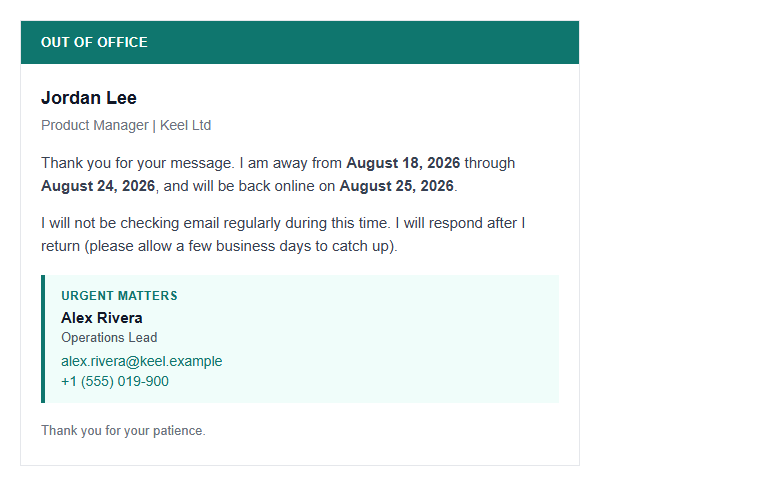
A rendered HTML email belongs in the message body, not as a downloadable .html attachment.
| Method | What the recipient sees |
|---|---|
| Attach .html file | Download link only |
| Insert rendered HTML in body | Full layout in the message |
How do you send HTML email using Gmail?
To send html email via gmail with a real layout, put the rendered markup in the compose window. The html2email Chrome extension adds a button next to Gmail compose for that workflow.
Steps with html2email
- Install the html2email Chrome extension.
- Open Gmail and start a new message.
- Click the html2email button in the compose toolbar.
- Pick a built-in template or paste your HTML.
- Review the Preview tab for layout and validation warnings.
- Click Insert to place the rendered HTML in the body.
- Send a test message to yourself before mailing a list.
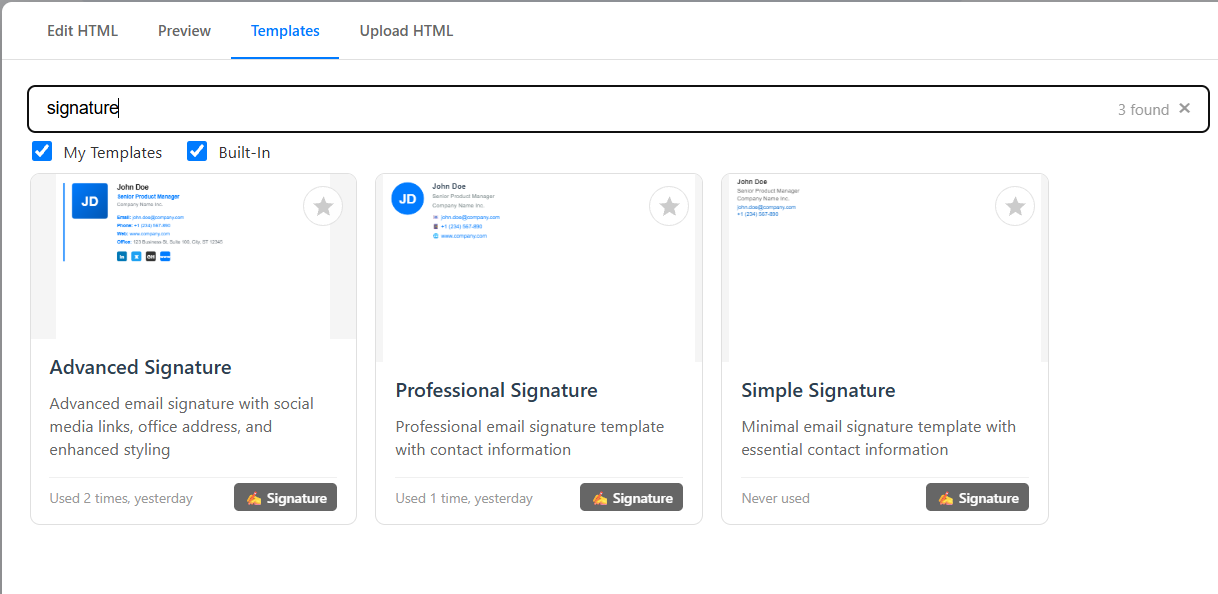
Pick a template or paste HTML in the html2email dialog before inserting into compose.
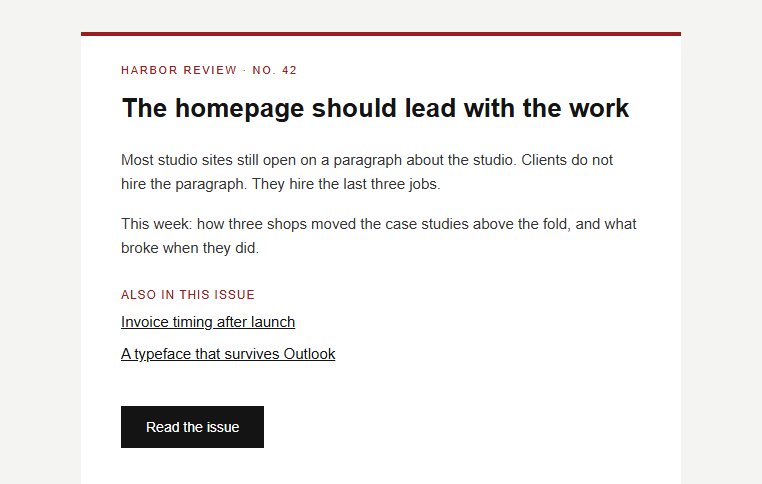
Harbor Review newsletter template after insert: the design lives in the message body.
Can you embed HTML in Gmail without an extension?
Gmail will not keep pasted raw HTML source. If you copy markup from an editor and paste into compose, you often get the tags as text or a flattened mess. Copying a rendered preview from a browser tab can work for small blocks, but full newsletters lose structure fast. There is no hidden Ctrl+Shift+H HTML mode in Gmail. For repeatable gmail html email work, an insert tool or an ESP is more reliable than paste-only tricks.
- Raw paste: tags visible or layout stripped.
- Rendered copy from browser: fragile for multi-column designs.
- Marketing platforms: send through Mailchimp-style tools, not personal compose.
How do you insert HTML into Gmail compose?
Insert html into gmail by placing already-rendered nodes into the contenteditable body. html2email runs validation, then writes the DOM into compose so fonts, tables, and images stay aligned. For signatures (a different field), see our HTML signature guide.
What HTML rules work for Gmail HTML email?
Gmail strips or rewrites parts of modern CSS. Build for compatibility from the start.
- Use nested
<table>layouts, not flexbox or grid. - Inline CSS on each element; avoid external stylesheets.
- Host images on HTTPS URLs with width and height attributes.
- Keep the main container near 600px wide for desktop clients.
Starter patterns live in our HTML email template guide and responsive HTML email post. Free helpers are on the tools page.
Why should you skip the title tag?
Do not put a <title> element in email HTML. Gmail vacation responder pulls it out and prints it as a separate line above the body. Compose can surface document chrome as stray visible text. Put the headline in an <h1> or styled table cell inside the body instead.
What is the Gmail message size limit for HTML?
Gmail clips HTML around 102 KB of message content. Above that threshold, Gmail adds a "[Message clipped] View entire message" link. That cap is not the same as the 25 MB attachment limit. Trim unused comments, minify inline CSS where safe, and host images externally. The 102 KB clip is the threshold Mailchimp and SendGrid document from Gmail behavior. Google's attachment limits page covers the 25 MB file cap only.
| Limit type | Approximate cap |
|---|---|
| HTML body (clip threshold) | ~102 KB |
| Attachments per message | 25 MB total |
Conclusion
Learning how to save html code to email in gmail comes down to one rule: insert rendered HTML into compose, not raw source and not a detached file. Use table-based markup, inline styles, and a preview step. html2email handles insert and validation from Gmail compose so you can send a test, fix issues, then mail with confidence.
Frequently asked questions
Related resources
Optimize Your Emails Today
Send validation-checked HTML emails directly from your browser.
 Gmail/Yahoo - Free
Free plan available · See pricing